 ⬇️
⬇️
Key Takeaways
- 101VOICE: Evaluate emergency calling, multi-campus administration, accessibility, and reliability before comparing collaboration extras.
- Test each platform against real school workflows, including classroom calls, parent inquiries, substitute access, and building-level 911 location data.
- Compare total operating cost and migration effort, not just advertised per-seat pricing.
Why K-12 UCaaS decisions have changed
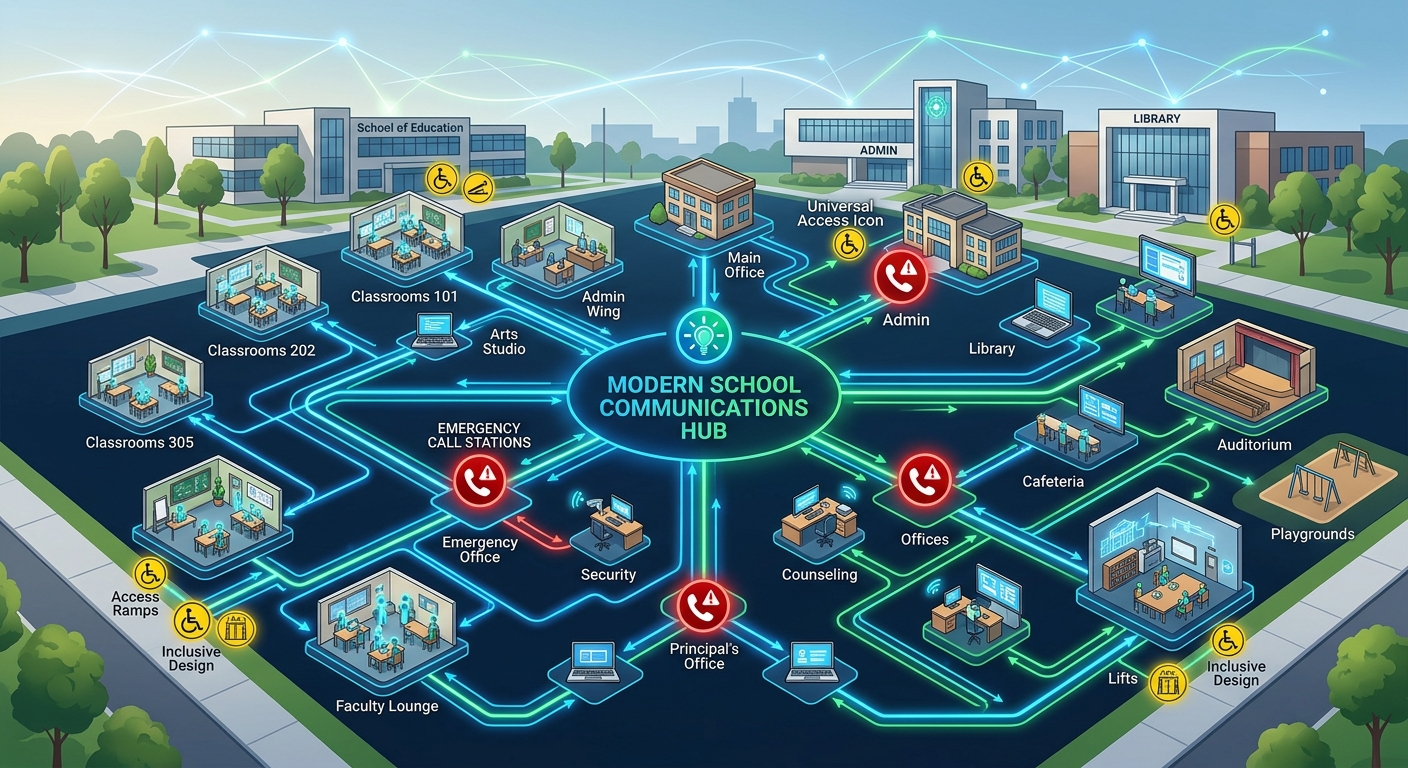
A school communications system is no longer just a collection of desk phones. It connects classrooms, front offices, district administrators, remote employees, parents, transportation teams, and sometimes contact-center staff. That makes a K-12 UCaaS purchase closer to an infrastructure decision than a routine phone replacement.
Market maturity is another factor. Omdia tracks Microsoft, Zoom, Google, Cisco, RingCentral, 8x8, and other providers across UCaaS and collaborative meetings, with market data through 2025 and forecasts to 2030. Buyers have plenty of credible choices. The harder problem is determining which operating model fits a district.
While meeting features often look impressive in demonstrations, a principal calling from a mobile app, a teacher dialing 911 from a classroom, and a parent navigating a multilingual call flow expose different platform strengths and weaknesses.
Federal emergency-calling requirements also change the evaluation. Covered multi-line telephone systems need direct 911 dialing and on-site notification under Kari’s Law. RAY BAUM’s Act rules address transmission of a dispatchable location. For a school, that location may need to identify not merely a street address, but a building, floor, wing, or room.
Key evaluation criteria for school districts
Start with administration. A district IT director supporting several campuses should determine whether extensions, policies, call routing, devices, and emergency locations can be managed centrally while allowing limited campus-level control. If routine changes still require support tickets, the cloud migration may simply replace one bottleneck with another.
Reliability needs equal attention. Ask how calling behaves during an internet outage, power interruption, or provider incident. Evaluate failover routing, analog requirements, mobile continuity, and support escalation. An uptime commitment matters, but the exclusions and service-credit process matter too.
Then test accessibility and communications workflows. Can office staff handle relay services and language needs? Are voicemail notifications usable by employees with disabilities? Can a parent move from an automated menu to the correct school without repeating information? Small friction points become large problems at district scale.
Emergency calling deserves its own proof-of-concept. A 2026 analysis from Private LTE and 5G estimated that fewer than 25% of campuses satisfy direct dialing, notification, and room-level location requirements. This is a private-industry estimate, not an official government statistic, but it highlights a practical gap. What location reaches emergency responders when a softphone moves between buildings?
SIP support is useful here. Session Initiation Protocol, standardized in RFC 3261, enables interoperability between cloud calling, existing PBXs, carriers, and emergency-calling components. Support on paper is not enough, though. Districts should validate the intended configuration.
Comparing common UCaaS alternatives
The table below offers a shortlist framework rather than declaring a universal winner. Capabilities, licensing, and partner-delivered services can vary by contract and deployment model.
| Dimension | 101VOICE | Microsoft Teams Phone | Zoom Phone | Cisco Webex Calling |
|---|---|---|---|---|
| K-12 operating fit | Worth shortlisting when district-specific Cloud PBX, unified communications, and contact-center needs require direct provider discussion | Often considered by districts already centered on Microsoft 365 and Teams | Often considered where users already rely on Zoom collaboration | Often considered in districts with established Cisco networking or collaboration environments |
| Integration depth | Buyers should verify SIS, CRM, paging, identity, and emergency-service integrations for their configuration | Evaluate integration within Microsoft’s ecosystem and any third-party connectors required | Evaluate Zoom ecosystem connectors, APIs, and identity integration | Evaluate Cisco ecosystem alignment, APIs, and compatibility with existing infrastructure |
| Emergency calling | Require a campus-by-campus demonstration of direct dialing, notifications, and dispatchable location | Validate licensing, location management, and behavior for mobile Teams users | Validate nomadic-user location handling and campus notification workflows | Validate location configuration across Webex clients, devices, and existing network components |
| Deployment and migration | Compare migration planning, number porting, handset support, training, and provider accountability | May reduce user-interface change where Teams is already standard | May feel familiar to organizations using Zoom meetings | May align with existing Cisco administration skills and devices |
| Pricing and TCO | Request an itemized proposal covering licenses, devices, implementation, support, and optional contact-center functions | Examine base licensing, calling plans, add-ons, devices, and partner services | Examine calling plans, add-ons, hardware, and implementation services | Examine subscriptions, devices, partner services, and network dependencies |
| Support and reliability | Review SLA language, escalation paths, failover design, and post-deployment support | Clarify the responsibilities of Microsoft, carriers, and implementation partners | Clarify provider support boundaries and carrier escalation | Clarify responsibilities among Cisco, the partner, and the carrier |
What to look for in a provider
Consider a district technology officer replacing an aging PBX across several schools while retaining analog elevator, fax, and safety devices. That buyer should cut any provider from the shortlist if it cannot map dependencies, explain coexistence, and test number porting without forcing an abrupt districtwide cutover. Success means controllable migration risk, not merely a fast activation date.
Provider accountability matters as much as platform capability. Determine who owns call-quality troubleshooting when the problem could involve Wi-Fi, LAN configuration, an internet carrier, SIP routing, or the UCaaS application. A polished portal will not settle that question during an outage.
Security review should cover identity controls, administrator roles, encryption, logging, retention, and incident notification. Ask for current independent assurance documentation relevant to the district’s requirements rather than assuming that a familiar brand settles the issue.
Questions to ask vendors
A superintendent’s communications team evaluating a parent contact center has a different priority. It should test queue routing, reporting, callback options, multilingual prompts, seasonal staffing, and integration with existing records. A platform may be strong for employee collaboration yet awkward for high-volume family inquiries.
Ask vendors:
- How is dispatchable location maintained for classrooms, mobile applications, shared devices, and relocated phones?
- What happens to inbound and outbound calling during campus internet failure?
- Which implementation, support, and contact-center items cost extra?
- Can administrators delegate authority by campus without exposing districtwide settings?
- How are accessibility features tested and documented?
- Who coordinates carriers, number porting, emergency services, and network troubleshooting?
The IAED Journal underscores the broader importance of accurate location information in emergency response. For school buyers, that makes live testing more persuasive than a compliance checkbox.
Making the decision
Use weighted scoring based on district risk. Emergency calling, reliability, administration, accessibility, and support will often deserve more weight than whiteboarding or background effects. Pricing should reflect implementation labor, network upgrades, devices, training, analog lines, and ongoing support.
Finally, run scenario-based demonstrations with school employees rather than relying on scripted vendor tours. The right choice is the service that handles ordinary school days and the difficult ones with the fewest operational surprises.