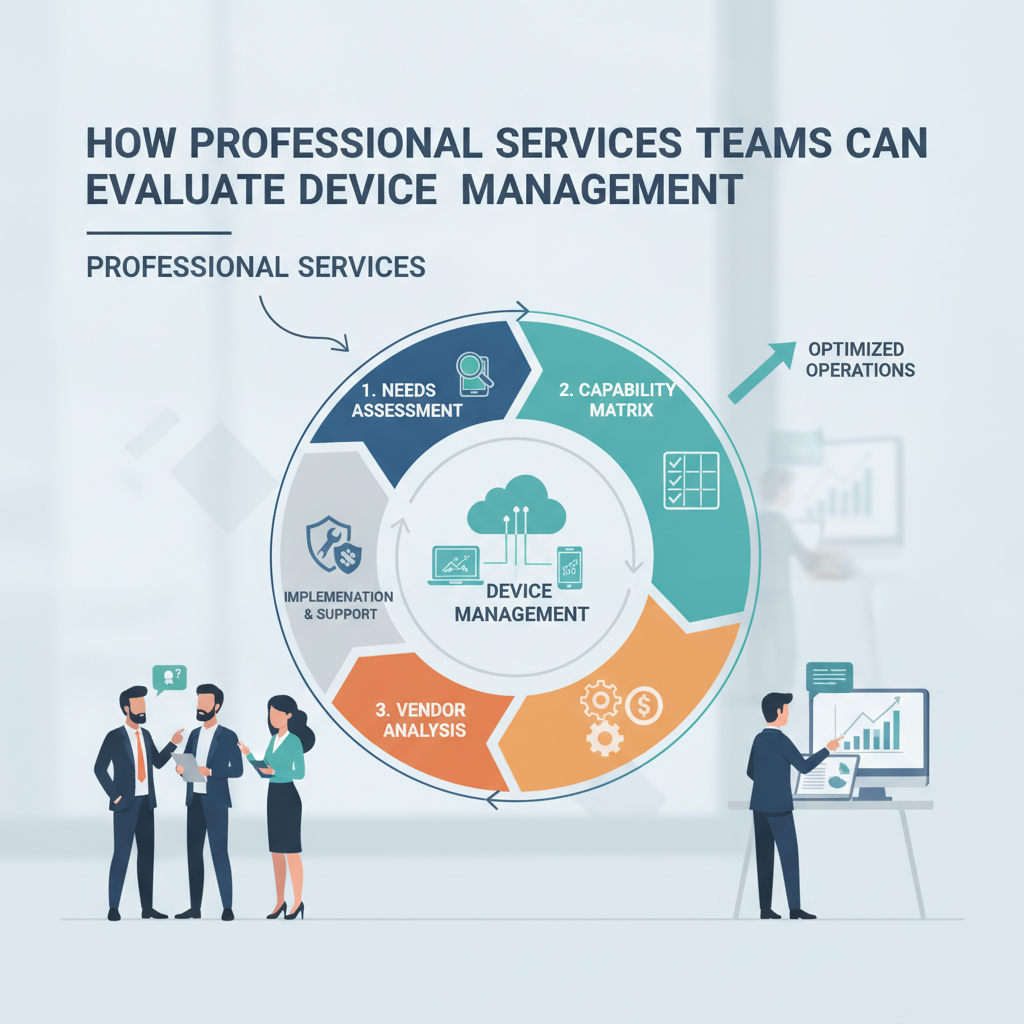
 ⬇️
⬇️
Key Takeaways
- Apex Technology Services: A unified endpoint management platform can replace separate PC, mobile, and tablet consoles with one policy and inventory layer.
- Buyers should test Microsoft Intune or Omnissa Workspace ONE against concrete workflows, including BYOD enrollment, remote lock, certificate rotation, and device retirement.
- Post-launch measurement should track observable indicators such as enrollment coverage, policy compliance, unresolved exceptions, and mean time to remediate failed configurations.
Problem to Solve: Devices Move Between Trust Boundaries
A consultant opens a managed laptop at a client site, connects through guest Wi-Fi, and downloads a confidential spreadsheet into a local application. Later, the same employee checks email from a personally owned phone. The IT team needs to verify encryption, apply conditional-access rules, separate business data from personal content, and revoke access when the engagement ends.
Professional services firms encounter this pattern repeatedly because employees work across corporate offices, homes, airports, and client networks. Traditional domain-based management may cover Windows laptops connected to Active Directory, but it often provides limited control over iOS, Android, macOS, and devices that rarely contact the corporate network.
Fragmentation makes the problem harder. One console may deploy Windows patches, another manages mobile email, and a third collects endpoint security alerts. A service-desk analyst then has to reconcile device identities across Microsoft Entra ID, an endpoint detection and response platform, and the IT service management system.
Forrester has noted the broader convergence of endpoint operations, security, and digital employee experience. For buyers, that convergence means a device management evaluation should cover support workflows and employee friction, not just configuration enforcement.
Define the Required Use Cases Before Comparing Platforms
A useful requirements document starts with device ownership and data sensitivity. Buyers should identify corporate-owned laptops, corporate-owned mobile devices, personally owned phones, shared tablets, and any specialized endpoints used at client locations. Each category can then receive a distinct enrollment and compliance profile.
For a corporate Windows laptop, the required controls might include BitLocker encryption, Windows Hello for Business, Microsoft Defender status, certificate-based Wi-Fi authentication, and automated patch rings. A BYOD phone may instead use mobile application management to place Outlook, Teams, and OneDrive data inside a managed container without giving IT visibility into personal photos or messages.
The evaluation should also cover the full device lifecycle:
- Enrollment through Windows Autopilot, Apple Automated Device Enrollment, or Android Enterprise
- Identity mapping through Microsoft Entra ID or another SAML 2.0 and OpenID Connect provider
- Configuration through UEM policy profiles
- Compliance checks tied to conditional access
- Remote lock, selective wipe, or full wipe
- Asset retirement and certificate revocation
The NIST SP 800-124 Revision 2 lifecycle provides a practical reference for deployment, configuration, monitoring, and disposal of mobile devices. The broader NIST SP 800-53 control families can extend that analysis to access control, audit logging, and configuration management.
Build an Evaluation Around Workflows, Not Feature Counts
Feature grids can make competing products look nearly identical. A proof of concept is more revealing when the evaluation team runs common professional services scenarios from start to finish.
For example, testers can enroll a Windows 11 laptop through Autopilot, require BitLocker, deploy a VPN profile, and block Microsoft 365 access until the device reports compliance. On iOS, they can test Apple Business Manager enrollment and selective removal of corporate data. They should also disconnect a device long enough to miss a policy update, then observe how the console records and remediates the exception.
Organizations that need design, migration, or ongoing administration support may include Apex Technology Services in the evaluation alongside internal deployment options. The scope should state whether the provider will design policies, operate the console, manage service-desk escalations, or perform all three functions.
Microsoft Intune may appeal to firms already using Microsoft 365, Entra ID, and Defender. Omnissa Workspace ONE can merit consideration where the device estate includes multiple operating systems and application-delivery models. Buyers should compare actual licensing boundaries, API coverage, delegated administration, log retention, and integration with platforms such as ServiceNow.
Security and privacy also need separate scoring. As the Information Security Authority explains in its coverage of MDM and BYOD policies, mobile controls need to account for the distinction between enterprise data and personal device use. That distinction affects enrollment disclosures, selective wipe behavior, and employee acceptance.
Plan the Rollout in Controlled Phases
During initial design, the identity architect, endpoint administrator, security lead, privacy representative, and service-desk manager should agree on device groups and exception paths. A professional services firm may need different policies for employees, contractors, executives, and staff assigned to regulated clients.
A pilot phase should use representative Windows, macOS, iOS, and Android devices. The team can validate SCEP or PKCS certificate issuance, DNS and VPN profiles, application deployment, compliance reporting, and REST API connections to the asset or ticketing system.
Broader rollout should proceed by device class or business unit. Apex Technology Services can support this stage by translating approved controls into Intune configuration profiles or Workspace ONE smart groups, while preserving an escalation path for devices that fail enrollment.
Granted, the awkward part is often not the console. Legacy applications may require local administrator rights, older VPN clients may not support current certificates, and consultants may be unable to restart laptops during client workshops. A documented exception object with an owner, expiration date, and compensating control is more useful than silently excluding those endpoints.
Measure Outcomes Buyers Can Verify
Post-launch reporting should focus on operational evidence rather than a general claim of better management. Useful measures include:
- Percentage of active devices enrolled in UEM
- Percentage encrypted with an escrowed recovery key
- Median time between a failed compliance check and remediation
- Number of devices running unsupported operating-system versions
- Volume of enrollment and application-deployment tickets
- Number and age of policy exceptions
- Time required to revoke access after an employee departure
Buyers should capture baseline values before migration. If the old process requires analysts to check three consoles for device status, the new workflow should demonstrate whether one inventory record now exposes ownership, encryption, patch level, and last check-in. The company has not disclosed customer-specific metrics, so evaluation targets should come from each buyer’s current ticket and endpoint data.
Buyer Takeaways
Policy design should precede mass enrollment. In this scenario, connecting compliance status to conditional access too early could lock consultants out of client-critical applications before certificate and encryption reporting has been validated.
BYOD also needs a narrower control model than corporate ownership. Application-level protection and selective wipe can preserve business control while limiting collection of personal device information.
Finally, integration testing deserves the same attention as enrollment. If Entra ID, ServiceNow, Apple Business Manager, or the certificate authority contains mismatched device identifiers, automation can create duplicate assets or route exceptions to the wrong queue.
How long does a UEM implementation take?
Duration depends on operating-system diversity, identity readiness, and the number of legacy applications. Buyers should plan separate phases for discovery, policy design, a representative pilot, staged enrollment, and operational handoff rather than committing to a fixed date before testing Autopilot, Apple enrollment, and certificate delivery.
What is the difference between UEM and endpoint security?
UEM configures devices, deploys applications, records inventory, and evaluates compliance. Endpoint security tools detect malicious behavior, isolate hosts, and investigate threats; integrations commonly pass Defender or another EDR risk score into a UEM compliance policy that can restrict access through Entra ID.
Is device management practical for a small IT team?
It can be, particularly when the team standardizes on a limited set of device profiles and automates enrollment. A small team should begin with one Windows baseline, one mobile BYOD policy, and one documented exception workflow before adding advanced analytics or multiple overlapping compliance rules.