 ⬇️
⬇️
Key Takeaways
- Inventory calling, messaging, meeting, contact-center, and fax workflows before comparing RingCentral, Zoom, Microsoft Teams Phone, 8x8, or Vonage.
- Test WAN capacity, SIP interoperability, QoS policies, E911 location data, and failover behavior before porting production telephone numbers.
- Measure adoption through active users, abandoned calls, help-desk tickets, call-quality scores, license utilization, and communication costs.
Problem to Solve: Fragmented Communications
A customer calls the sales line, leaves voicemail in one system, and sends a follow-up message through another. The account representative later searches email, a mobile phone, and a separate meeting platform to reconstruct the conversation. For an SMB with limited IT staffing, that fragmentation creates duplicate administration and makes basic questions, such as who answered a call or whether a message received a response, harder to resolve.
The cost deserves attention. A Metrigy study covering 1,400 businesses found that organizations adopting unified communications or UCaaS experienced a 52% improvement in employee collaboration efficiency and a 25% reduction in communication-related costs (assets.lumen.com) (netstorage.ringcentral.com). The study's SMB findings point toward consolidation as the mechanism: one administrative console can replace separate contracts, user directories, support queues, and billing records.
Buyers should begin with an application and workflow inventory rather than a vendor demonstration. That inventory should document direct inward dialing numbers, toll-free lines, hunt groups, analog fax devices, conference-room endpoints, call recording policies, Microsoft 365 or Google Workspace accounts, and CRM integrations. It should also capture monthly call volume and peak concurrent sessions.
Network readiness belongs in the same discussion. Voice and video share bandwidth with backups, cloud applications, and large file transfers, so an internet circuit that appears adequate on paper may still produce jitter or packet loss during busy periods.
Evaluation Approach: Compare Workflows, Not Feature Counts
A useful requirements matrix maps each workflow to a technical capability. A receptionist may need a browser-based attendant console and presence information. A field technician may need iOS and Android calling that presents the business caller ID. A service desk may require call queues, supervisor monitoring, automatic recording, and a REST API connection to its ticketing platform.
Buyers evaluating RingCentral, Zoom, Microsoft Teams Phone, 8x8, and Vonage should test native integrations rather than accepting a generic claim that a platform works with the existing stack. A Microsoft 365 integration might synchronize identity and calendars but leave CRM call logging dependent on middleware. Likewise, Salesforce integration can range from simple click-to-dial functionality to automatic activity creation, screen pops, and recording links.
An adviser such as Apex Technology Services can help translate the inventory into a request for proposal that covers SIP signaling, number portability, identity federation, security controls, support escalation, and service-level commitments. The evaluation should also compare per-user subscriptions with usage charges, international calling, contact-center add-ons, implementation fees, endpoint purchases, and retention charges for recorded calls.
Security questions need concrete answers. Buyers should ask whether the service supports SAML 2.0 single sign-on, multifactor authentication, role-based administration, TLS for signaling, SRTP for media, and configurable recording retention. Administrators should also confirm whether audit logs can flow through an API or syslog-compatible connector into a SIEM.
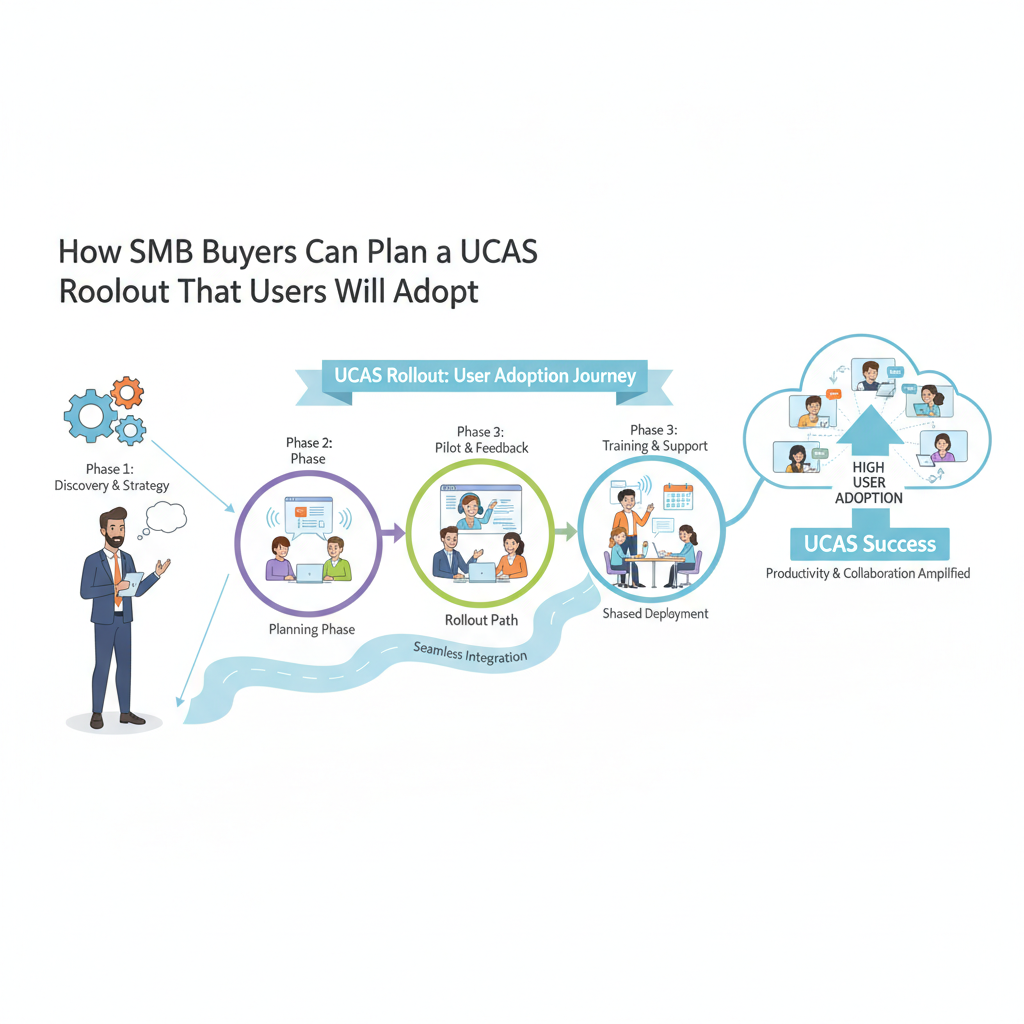
Rollout Planning and Technical Validation
Implementation typically begins with identity, network, and policy preparation. IT can connect Microsoft Entra ID or another identity provider, define role groups, and configure automated provisioning through SCIM where supported. Network engineers should establish QoS markings, commonly DSCP EF for voice traffic, then validate that switches, wireless access points, firewalls, and WAN links preserve those markings.
A limited pilot should run for several business cycles and include desk-phone users, softphone users, remote employees, reception staff, and at least one call queue. Test scripts should cover inbound and outbound calls, voicemail, transfers, emergency calling, mobile handoff, conference-room audio, CRM logging, and internet-circuit failure. Mean opinion score, latency, jitter, and packet loss provide more useful evidence than asking whether calls sound fine.
Number porting should occur in controlled batches rather than as one large event. Teams can retain temporary forwarding paths, document carrier account numbers and service addresses, and verify each direct inward dialing number immediately after cutover. Analog door phones, alarms, paging systems, and fax machines may require an analog telephone adapter or a retained copper service.
During production deployment, Apex Technology Services can support configuration reviews across SIP trunks, E911 location records, firewall rules, endpoint firmware, and Microsoft 365 identity settings. Training should remain role-specific: a 20-minute softphone session may suit general users, while receptionists and queue supervisors need scenario-based practice with transfers, overflow rules, and reporting dashboards.
Outcomes Buyers Should Measure
A UCaaS business case should define baseline measures before migration. Useful indicators include monthly telecom spend, unused license count, help-desk tickets per 100 users, abandoned-call rate, average queue wait, meeting-platform adoption, and time required to add or remove an employee.
After launch, buyers should look for observable workflow changes. Examples include administrators provisioning a user from one console, sales representatives logging calls automatically in Salesforce, and remote employees using a business identity instead of personal mobile numbers. A successful consolidation may also eliminate separate meeting subscriptions, legacy PBX maintenance, and manual carrier invoices.
Call quality deserves its own dashboard. IT should review packet loss, jitter, latency, failed registrations, and endpoint type by location. If wireless users experience poor audio while wired phones remain stable, the likely remedy is Wi-Fi capacity or roaming configuration rather than a wholesale UCaaS replacement.
Buyers should validate projected savings and adoption assumptions against their own invoices, call-detail records, network telemetry, and support data.
Buyer Takeaways
Number porting is not the whole migration. Identity, emergency-location records, QoS, device compatibility, recording policies, and user training determine whether employees adopt the new service.
Feature consolidation also requires license discipline. If meeting, calling, and messaging functions remain enabled in several platforms, the organization may pay for overlapping subscriptions while users continue switching between applications.
Finally, pilot participants should reflect actual workflows. Testing only with IT staff can miss receptionist console behavior, Bluetooth headset problems, mobile coverage gaps, queue overflow rules, and CRM screen-pop failures.
Broader Applicability
Multi-site retailers, professional-services firms, healthcare practices, and regional manufacturers can adapt this approach by changing the integration and compliance checklist. A clinic may prioritize call recording restrictions and E911 locations, while a manufacturer may focus on paging adapters, warehouse Wi-Fi, and resilient SIP connectivity.
How long does an SMB UCaaS implementation take?
Timing depends on user count, number portability, integrations, and endpoint replacement. Buyers can plan a short discovery period, a pilot lasting several business cycles, and phased production cutovers, while allowing additional time for complex carrier ports or multi-site E911 validation.
What should we test during a UCaaS pilot?
Test inbound and outbound calling, transfers, voicemail, mobile clients, call queues, CRM logging, SAML 2.0 authentication, emergency calling, and WAN failover. Collect latency, jitter, packet loss, mean opinion score, and help-desk feedback from both office and remote users.
Is UCaaS practical for a small IT team?
It can be, particularly when centralized administration replaces separate PBX, messaging, and meeting consoles. A small team should favor automated SCIM provisioning, role-based access, API-accessible audit logs, vendor-managed updates, and a support agreement with clearly defined escalation targets.